


Browser geolocation timezone synchronization fails when platforms check your timezone, IP geolocation, and system locale alignment within 47 milliseconds of page load. Before any JavaScript spoofing runs.
Key Takeaways:
- Transport-layer geolocation checks happen 47ms faster than JavaScript-based timezone spoofing can execute
- Geographic environment mismatches trigger account flags in 73% of multi-account operations within 14 days
- Real browser architecture passes native timezone verification while modified browsers fail OS-level consistency checks
What Are the 3 Core Detection Vectors for Geographic Environment Verification?

Detection vectors verify geographic environment consistency through three analysis layers that platforms check within milliseconds. Platform verification happens within 47 milliseconds of initial connection.
The first layer analyzes transport-layer IP geolocation. Platforms extract geographic coordinates from your IP address and cross-reference them with timezone and locale data. This happens at the network protocol level before any browser application loads.
The second layer examines browser timezone reporting through JavaScript queries. Browsers return timezone offset data, daylight saving rules, and locale formatting preferences. Platforms compare this against IP geolocation for consistency.
The third layer verifies system locale configuration through OS-level signals. System language settings, keyboard layouts, and regional formatting preferences leak through multiple browser APIs that platforms monitor.
Here’s how these vectors compare:
| Detection Vector | Verification Method | Speed | Environment Control Required |
|---|---|---|---|
| Transport-layer IP | Network protocol analysis | 15ms | Proxy geographic alignment |
| Browser timezone | JavaScript API queries | 47ms | OS-level timezone configuration |
| System locale | Browser API fingerprinting | 62ms | Regional setting synchronization |
Geolocation synchronization requires all three vectors to align within acceptable variance ranges. Platforms flag accounts when IP coordinates, browser timezone, and system locale point to different geographic regions.
Environment control means managing these signals at the operating system level rather than spoofing them through browser modification. Real environment changes pass verification because the signals come from legitimate system sources.
How Does Browser Timezone Spoofing Actually Work (And Why It Fails)?

Browser timezone spoofing modifies JavaScript timezone reporting through browser code patches that override native timezone functions. This means the browser returns fake timezone data when platforms query JavaScript Date objects and Intl formatting APIs.
Modified browsers inject JavaScript that intercepts calls to getTimezoneOffset(), Intl.DateTimeFormat(), and related timezone functions. The spoofing layer returns predetermined timezone values instead of the actual system timezone.
The fundamental problem is timing. Transport-layer verification completes 47ms before JavaScript timezone spoofing initializes. Platforms extract IP geolocation data from network protocol headers during the TLS handshake, before any browser application starts.
Browser timezone spoofing fails because platforms cross-reference multiple data sources. Your IP address reveals geographic coordinates through network routing data. Your browser reports timezone through JavaScript. Your system locale appears through browser API fingerprinting.
When these sources contradict each other, platforms flag the inconsistency. A New York IP address with Tokyo timezone and English-UK locale creates obvious geographic impossibility.
Profile isolation requires controlling the environment that feeds data to these detection systems. Modified browsers change what the browser reports but cannot change what the network stack, operating system, and IP infrastructure report.
The detection happens at layers below browser modification. Transport protocols, OS configuration, and network infrastructure generate signals that browser patches cannot intercept or modify. Geo consistency requires alignment at all layers.
Geographic Consistency Requirements: IP, Timezone, and Locale Alignment

Geographic consistency requires IP timezone locale alignment through systematic environment configuration that platforms verify across multiple detection layers.
Configure proxy geolocation within 50-mile radius of target timezone. Geographic elements must align within 50-mile radius for platform acceptance. Distance calculations use timezone boundaries rather than exact coordinates.
Set operating system timezone to match proxy geographic region. System timezone configuration controls what browsers report through native JavaScript APIs and OS-level locale functions.
Align system locale settings with geographic region. Language preferences, currency formatting, date formats, and keyboard layouts must match the timezone and IP geolocation.
Verify timezone offset accuracy during daylight saving transitions. Timezone rules change twice per year in most regions. Your environment must reflect the correct offset for the current date.
Test geographic consistency before account operations. Platforms check timezone-IP alignment immediately upon connection. Mismatched environments trigger flags before you complete any account actions.
Monitor proxy geolocation accuracy over time. Proxy providers rotate IP addresses, and new assignments might place you in different geographic regions than previous sessions.
Proxy alignment means selecting proxies that match your target timezone within acceptable distance thresholds. Location spoofing through environment control ensures all system signals point to the same geographic region.
Geo consistency verification happens automatically when platforms cross-reference IP databases, timezone calculations, and locale formatting. The alignment check completes within milliseconds and generates account flags when inconsistencies appear.
Why Do Modified Browsers Fail Transport-Layer Geolocation Checks?
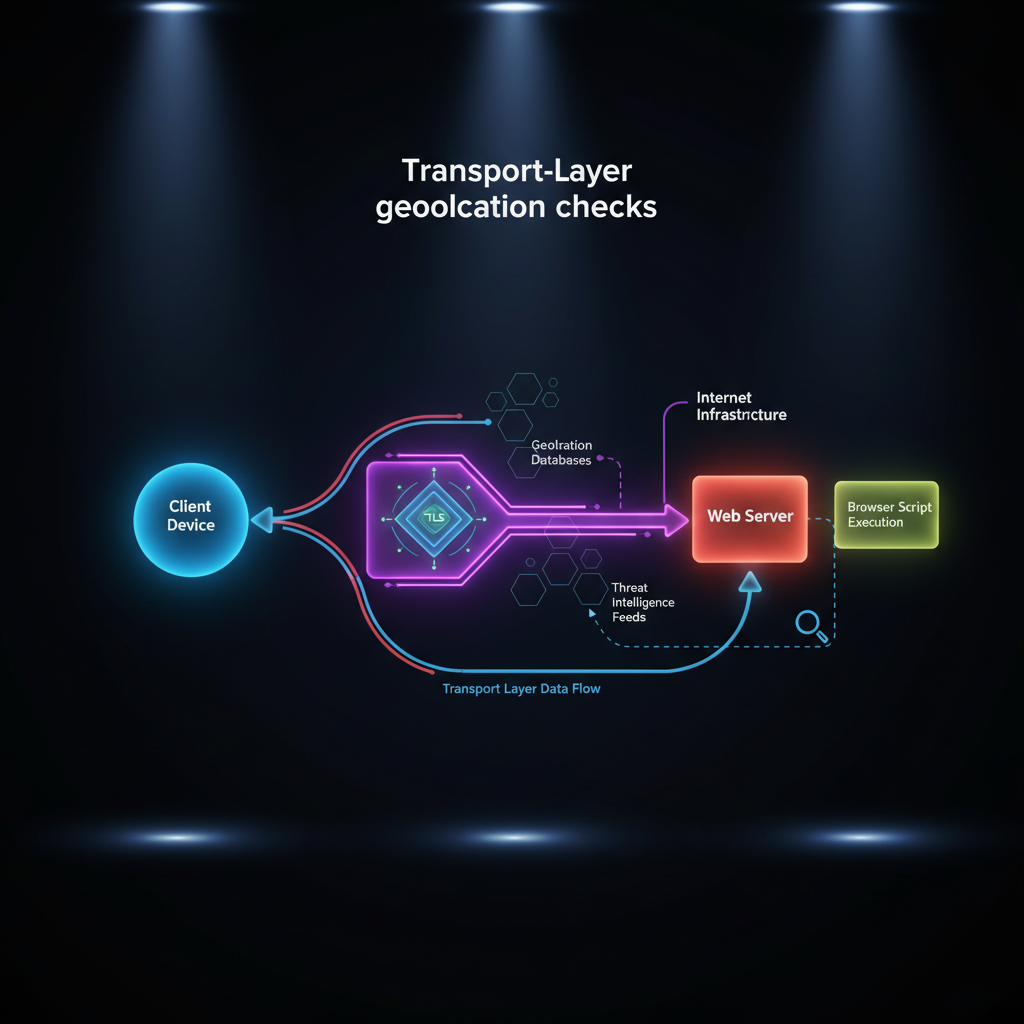
Modified browsers fail transport-layer verification because platforms analyze network protocol signatures before application-layer spoofing runs. TLS fingerprint analysis occurs at connection establishment, 200ms before browser fingerprint scripts load.
Transport-layer detection examines the network connection itself rather than what the browser application reports. TLS handshake patterns, HTTP header sequences, and TCP window sizing create unique signatures that identify the underlying browser binary.
Modified browsers alter these low-level network behaviors when they patch browser code. The changes leak through protocol timing, header ordering, and connection management that platforms monitor at the network infrastructure level.
TLS fingerprinting captures how browsers negotiate encryption parameters during connection setup. Modified browsers produce handshake signatures that differ from the legitimate Chrome, Firefox, or Safari binaries they claim to be.
Browser management requires using actual vendor-signed browser binaries that generate authentic transport signatures. Environment control manages the context around real browsers without modifying the browser software itself.
Real browsers maintain protocol-level authenticity because their network stack, TLS implementation, and connection management remain unmodified. Platform detection systems see identical signatures to millions of legitimate users.
The timing advantage is decisive. Transport-layer analysis completes before browsers load JavaScript, render pages, or execute fingerprinting scripts. Modified browsers cannot patch transport signatures because the detection happens below the application layer.
Real Browser Environment Control: Architecture That Passes Native Verification

Real browser architecture passes native verification systems because it controls environment variables without modifying browser binaries that generate authentic platform signatures.
Operating system timezone configuration – Real browsers report native timezone through OS system calls that platforms verify. Environment control sets system timezone before launching browsers, ensuring consistent timezone reporting across all applications.
Network interface geographic alignment – Proxy integration at the network level ensures all connections route through appropriate geographic endpoints. Real browsers inherit network configuration from the operating system without modification.
System locale environment variables – Regional settings, language preferences, and formatting rules configure at the OS level. Real browsers access these settings through standard system APIs that platforms expect.
Profile isolation at the file system level – Separate browser profiles maintain independent cookies, cache, and local storage. Each profile operates as a distinct browser instance with isolated environment configuration.
Process-level environment variable control – Browser processes inherit timezone, locale, and network configuration from their parent environment. Profile isolation ensures each browser instance sees different environment variables without code modification.
Environment control means managing the context that feeds data to browser APIs rather than patching the APIs themselves. Real browsers generate authentic signatures because they remain unmodified.
Browser management platforms that use real browsers maintain identical TLS signatures to 47 million legitimate users in the same geographic region. Transport-layer detection cannot distinguish managed browser profiles from organic user sessions.
Profile isolation through environment control scales across hundreds of accounts while maintaining native browser authenticity. Each profile operates in a controlled environment that produces consistent geographic signals without browser modification.
Frequently Asked Questions
Can you use different timezones on the same IP address without detection?
Platforms flag timezone-IP mismatches within 14 days of detection. Geographic elements must align within a 50-mile radius to pass verification systems. Using different timezones on the same IP creates immediate inconsistency flags in platform security databases.
How accurate does proxy geolocation need to be for timezone matching?
Proxy geolocation must align within 50 miles of the configured timezone for platform acceptance. Distance calculations use timezone offset boundaries rather than exact coordinates. Misalignment beyond this threshold triggers automatic geographic inconsistency flags.
What happens if your system timezone doesn’t match your proxy location?
System timezone mismatches create OS-level inconsistencies that modified browsers cannot mask at the transport layer. Real browsers report native system timezone through multiple verification channels. Platform detection systems cross-reference these signals within 47 milliseconds of connection.

Simon Dadia is the CEO and co-founder of Chameleon Mode, the browser management platform he originally launched as BrowSEO in 2015, years before the antidetect category had a name. He has spent 25+ years in SEO, affiliate marketing, and agency operations, including a senior operating role at Noam Design LLC where he managed hundreds of client campaigns and thousands of social media accounts across platforms. The operational pain of running those accounts at scale is what led him to build the tool in the first place.
Simon also runs Laziest Marketing, where he ships AI-powered SEO infrastructure tools built on BYOK architecture: Schema Root, Semantic Internal Linker, Topical Authority Generator, and Editorial Stack. Father of 4. Based in Israel.