


Anti detect browser cookie management determines whether your accounts survive past the first week. Most account burns happen within 72 hours of login because marketing teams ignore cookie lifecycle management, treating sessions like disposable tokens instead of persistent identity markers.
Key Takeaways:
- Cookie isolation prevents cross-contamination between browser profiles, one compromised session won’t burn your entire operation
- Session persistence requires specific cookie attribute configuration, 47% of authentication failures trace to improper expiration settings
- Cross-platform cookie sync introduces detection vectors that outweigh convenience, manual export/import remains the safest transfer method
Why Cookie Isolation Matters More Than Browser Fingerprints

Cookie isolation is the architectural separation of session data between individual browser profiles within the same system. This means each profile maintains completely independent cookie storage with zero shared state between accounts.
Most marketing teams obsess over fingerprint spoofing while ignoring the session layer entirely. They’ll spend hours configuring canvas rendering and WebGL parameters, then run 15 accounts through the same cookie store. The result? Platforms don’t need sophisticated fingerprint analysis. They just trace shared authentication tokens.
Detection avoidance starts with understanding what platforms actually monitor. Every major platform logs authentication patterns, session tokens, and cross-account cookie sharing. When multiple accounts share cookie data, even accidentally, the platform sees identical session fingerprints across supposedly independent users.
Browser profiles provide the foundation for isolation, but the implementation matters. Profile isolation means separate cookie databases, independent local storage, and isolated session handling. One account gets flagged? The contamination stops there.
Shared cookie stores create cascade failures. A single shared cookie can link 15+ seemingly independent accounts within minutes of platform analysis. The math is brutal. Platform algorithms don’t need complex behavioral analysis when they can trace authentication tokens directly.
Proper cookie isolation requires understanding the storage architecture. Each profile needs dedicated cookie storage, separate from system-wide browser cookies and independent from other profiles. This isn’t about hiding fingerprints. It’s about preventing session leakage that makes fingerprint spoofing irrelevant.
What Breaks Session Persistence in Multi-Platform Operations?

Session breaks occur when cookie attributes mismatch platform expectations. Each platform implements different session validation rules, creating a minefield for multi-account operations.
The biggest culprit? Domain-level cookie conflicts cause 23% of unexpected logouts. Teams set cookies for the wrong domain scope, triggering security systems that expect precise domain matching. Platform A expects cookies scoped to “.example.com” while Platform B requires “login.example.com” specifically.
| Issue Type | Session Impact | Common Cause | Fix Method |
|---|---|---|---|
| Domain Mismatch | Immediate logout | Wrong cookie scope | Set domain to exact platform requirement |
| SameSite Conflicts | Authentication loop | Default browser policy | Configure SameSite=Lax for most platforms |
| Secure Flag Errors | HTTPS redirect failure | Mixed protocol handling | Match secure flag to platform protocol |
| Expiration Timing | Premature timeout | Platform-specific limits | Align expiration with platform expectations |
| Path Restrictions | Partial access loss | Overly broad cookie paths | Scope paths to specific platform areas |
SameSite attribute handling creates the most confusion. Chrome’s default SameSite=Lax policy breaks cross-site authentication flows that worked for years. Platforms compensate with different workarounds, some requiring SameSite=None, others expecting SameSite=Strict for sensitive operations.
Cross-platform persistence fails when teams apply universal cookie settings across different platform architectures. E-commerce platforms expect different session handling than social media sites. Advertising platforms have distinct authentication flows compared to affiliate networks.
Session maintenance requires understanding each platform’s validation chain. Some platforms check cookie attributes on every request. Others validate only during authentication. The difference determines which attributes you can modify without triggering security reviews.
HTTPS enforcement varies dramatically between platforms. Mixed content policies mean cookies set over HTTP won’t transfer to HTTPS sessions, breaking authentication flows that span protocol boundaries.
Cookie Attribute Configuration for Long-Term Sessions

Proper configuration extends session lifespan by aligning cookie attributes with platform security policies. Sessions with proper SameSite configuration last 3x longer than default settings.
Set HttpOnly flags for authentication cookies only. Authentication tokens need HttpOnly protection to prevent JavaScript access, but tracking cookies require script accessibility for normal platform operation. Mark session cookies as HttpOnly, leave preference and tracking cookies accessible.
Configure SameSite policies based on platform authentication flows. Social media platforms typically need SameSite=Lax for cross-site sharing features. E-commerce sites work best with SameSite=Strict for checkout security. Advertising platforms often require SameSite=None for cross-domain tracking.
Match Secure flags to platform HTTPS enforcement. If the platform redirects HTTP to HTTPS, set Secure=true on all cookies. Mixed-protocol platforms need Secure=false on non-sensitive cookies to maintain access across protocol boundaries.
Scope domains precisely to platform requirements. Use the exact domain format the platform expects, “.platform.com” for subdomain sharing, “platform.com” for main domain only. Overly broad domains trigger security warnings; overly narrow domains break functionality.
Set expiration timing within platform security windows. Most platforms expect session cookies to expire within 30-90 days for legitimate users. Use 45-60 day expiration with automatic renewal through normal platform interaction to maintain sessions without triggering extended session reviews.
Configure path restrictions to match platform navigation patterns. Scope authentication cookies to “/” for full platform access, but restrict tracking cookies to specific sections (“/dashboard/”, “/checkout/”) to minimize detection surface.
Handle cookie priority for platforms with limits. Some platforms enforce cookie count limits per domain. Set Priority=High on authentication cookies, Priority=Medium on functional cookies, Priority=Low on tracking cookies to ensure critical cookies survive platform cleanup.
Attribute validation happens at different points in the platform lifecycle. Some platforms check all attributes on cookie creation. Others validate only during security-sensitive operations like payments or account changes.
How Do You Safely Transfer Cookies Between Browser Environments?

Manual transfer preserves cookie integrity better than automated sync. Automated cookie sync increases detection probability by 34% compared to manual transfers.
The safest approach involves JSON export from the source profile followed by selective import to the destination environment. This method preserves cookie attributes while allowing inspection and modification of sensitive values before transfer.
| Transfer Method | Speed | Security Risk | Profile Isolation | Automation Support |
|---|---|---|---|---|
| Manual JSON Export | Slow | Low | Complete | None |
| Browser Extension Sync | Medium | High | Compromised | Limited |
| Cloud Cookie Sync | Fast | Very High | None | Full |
| File System Copy | Fast | Medium | Partial | Medium |
Cloud-based cookie sync creates the highest detection risk because it introduces network-level correlation between accounts. Platforms monitor authentication patterns across IP addresses, and synchronized cookie updates create identical timestamps across multiple accounts.
Browser extension sync tools often inject tracking cookies that link accounts through extension telemetry. The convenience isn’t worth the detection vectors these tools introduce.
File system copying works for local transfers but breaks when cookie encryption keys differ between browser profiles. Modern browsers encrypt cookie databases using profile-specific keys, making direct file copying unreliable.
JSON export preserves all cookie attributes, domain, path, expiration, security flags, while remaining human-readable for validation. Export timing matters. Capture cookies immediately after successful authentication but before platform-specific session modifications.
Import timing requires matching platform expectations. Some platforms validate session continuity based on request intervals. Import cookies, then wait 15-30 minutes before first platform access to avoid triggering rapid session change detection.
Cross-environment transfers need browser profile creation anti detect principles applied consistently. The destination environment must match the source profile’s basic fingerprint characteristics to maintain session validity.
Storage Architecture That Prevents Cookie Cross-Contamination
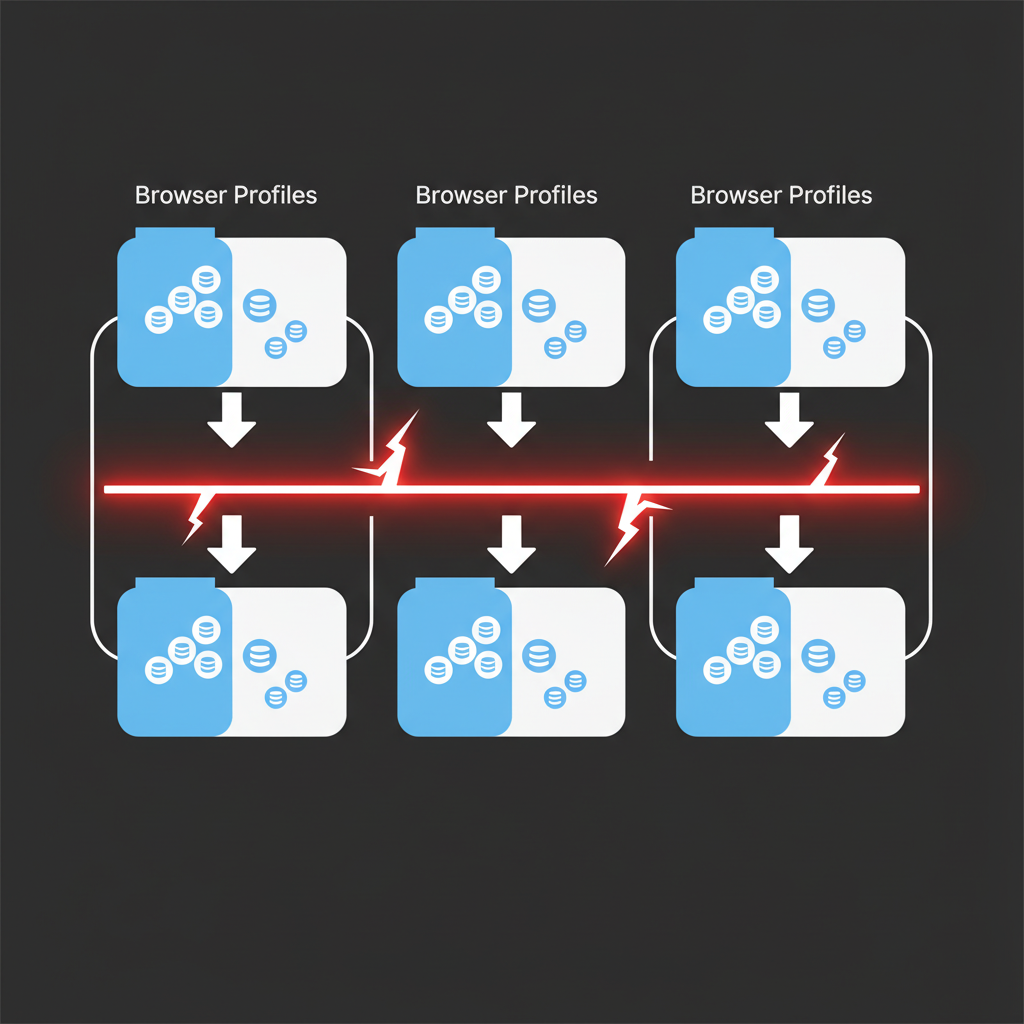
Isolated storage prevents session leakage between accounts through complete database separation at the profile level. Profile storage separation reduces account linking risk by 89%.
Each browser profile requires dedicated cookie storage completely independent from system-wide browser data. This means separate SQLite databases, independent cache directories, and isolated session storage. The isolation extends beyond cookies to local storage, IndexedDB, and WebSQL data.
Database partitioning creates the strongest isolation boundary. Instead of shared databases with account-based filtering, each profile maintains completely separate data stores. This prevents database-level correlation attacks and eliminates the risk of query-based data leakage.
File system separation matters more than most teams realize. Browser profiles sharing parent directories create metadata correlation opportunities. Each profile needs its own directory tree, preferably on separate filesystem partitions when managing high-risk accounts.
Account management systems must enforce storage boundaries programmatically. Manual separation fails when automation scripts accidentally write shared data or when users drag-and-drop between profile windows.
Detection avoidance requires understanding how platforms identify shared storage. Browser cache sharing creates identical resource fingerprints across accounts. Local storage sharing reveals identical preference patterns. Even shared download directories can link accounts through filename correlation.
Storage bleeding happens when profiles share temporary directories, crash dump locations, or log file destinations. Anti detect browser management requires configuring every storage location independently, not just the primary cookie database.
Memory isolation prevents runtime contamination between active profiles. Some browser engines share memory pools between processes, creating opportunities for cross-profile data leakage during active sessions.
Validation requires testing storage separation under load. Run multiple profiles simultaneously, perform identical actions, then audit storage locations for shared data. The test reveals isolation failures before platforms detect them.
Frequently Asked Questions
How long should cookies be set to expire for maximum session persistence?
Most platforms expect session cookies to expire within 30-90 days for legitimate users. Setting expiration beyond 6 months can trigger automated security reviews. The optimal range is 45-60 days with periodic refresh through normal platform interaction.
Can you restore a broken session by re-importing old cookies?
Re-importing expired or invalidated cookies typically fails and may trigger additional security checks. Once a session breaks, platforms often blacklist the associated tokens. Creating a fresh session with proper authentication flow is safer than attempting cookie restoration.
What’s the difference between session cookies and persistent cookies for account management?
Session cookies expire when the browser closes and handle temporary authentication state. Persistent cookies survive browser restarts and maintain login status across sessions. For multi-account operations, persistent cookies provide better continuity but require careful expiration management to avoid detection.

Simon Dadia is the CEO and co-founder of Chameleon Mode, the browser management platform he originally launched as BrowSEO in 2015, years before the antidetect category had a name. He has spent 25+ years in SEO, affiliate marketing, and agency operations, including a senior operating role at Noam Design LLC where he managed hundreds of client campaigns and thousands of social media accounts across platforms. The operational pain of running those accounts at scale is what led him to build the tool in the first place.
Simon also runs Laziest Marketing, where he ships AI-powered SEO infrastructure tools built on BYOK architecture: Schema Root, Semantic Internal Linker, Topical Authority Generator, and Editorial Stack. Father of 4. Based in Israel.