


Anti detect browser management determines whether marketing professionals maintain their accounts or watch them burn. Most lose 30-40% of their accounts to detection failures because they’re managing browser profiles like they’re organizing bookmarks.
Key Takeaways:
- Profile isolation requires 12 distinct environment variables, timezone, locale, viewport, WebRTC, canvas fingerprint, WebGL renderer, timezone offset, CPU cores, memory, screen resolution, user agent, and font list
- Account warming takes 7-14 days minimum with 3-5 organic sessions per day before commercial activity to establish behavioral patterns
- Team operations scale efficiently at the 50-profile threshold where manual coordination breaks down and systematic workflows become mandatory
What Makes Browser Profile Operations Different from Regular Multi-Account Management?

Browser profile operations are systematic environment isolation protocols that create independent browser instances with distinct digital fingerprints. This means each profile appears to platforms as a completely separate device and user, not just a different login session.
Regular multi-account management switches between accounts within the same browser environment. You’re still using the same timezone, screen resolution, WebRTC endpoints, and canvas fingerprint. Platform detection methods have moved beyond checking login credentials to analyzing the underlying browser environment. JavaScript fingerprinting was the first wave. Transport-layer detection came next.
Browser profile operations require environment-level isolation across 12 distinct variables. Timezone and locale create geographic consistency. Viewport and screen resolution establish device characteristics. WebRTC reveals network topology. Canvas fingerprinting exposes graphics hardware signatures. WebGL renderer identifies specific GPU models. Font lists indicate operating system versions. CPU cores and memory suggest device specifications. User agent strings tie everything together.
The detection layer shifted from JavaScript analysis to transport protocol inspection. Platforms check TLS handshake signatures, HTTP/2 negotiation patterns, and SSL cipher preferences before any webpage JavaScript executes. Browser profile creation becomes critical because modified browsers produce transport fingerprints that don’t match legitimate user populations.
Account management scales differently with proper profile isolation. You’re not just switching accounts, you’re switching entire digital identities with independent behavioral histories, geographic locations, and device characteristics. Legal considerations multi account management become more complex when profiles span jurisdictions or represent different business entities.
Profile Creation and Configuration Workflow

Profile creation follows a systematic configuration protocol with seven verification checkpoints. Each profile requires independent environment assignment before any account activity begins.
Environment variable assignment. Set timezone, locale, screen resolution, and viewport dimensions based on target geographic region. These four variables must align, you can’t use Pacific timezone with European locale settings.
Proxy integration and network routing. Configure proxy servers that match the assigned geographic region and test for DNS leaks, WebRTC endpoint exposure, and IP consistency across browser sessions.
Fingerprint component generation. Generate canvas fingerprint, WebGL renderer signature, font list, and hardware specifications that match the assigned device profile without creating duplicate fingerprints across profiles.
User agent and browser header configuration. Set user agent string, accept-language headers, and browser version numbers that correspond with the operating system and device specifications.
Initial fingerprint verification. Test the profile against fingerprinting services to confirm environment isolation and detect any configuration conflicts or shared identifiers.
Cookie storage initialization and session state setup. Create isolated cookie storage, configure session persistence settings, and verify that profile data remains separate from other instances.
Behavioral baseline establishment. Record initial browsing patterns, timing characteristics, and interaction signatures that will guide future automation and account warming activities.
Platform detection methods target configuration inconsistencies more than individual variables. A profile using Chrome user agent with Safari-specific font rendering fails detection quickly. Windows timezone settings combined with macOS keyboard shortcuts create red flags. Browser profile creation anti detect requires matching all environment components to a single, consistent device signature.
Proxy rotation anti detect browser strategies integrate during step two but influence every subsequent configuration choice. Your proxy network determines geographic constraints for timezone and locale settings. Residential proxies support longer session durations. Datacenter proxies work better for automated tasks but trigger detection faster during organic browsing.
How Do You Maintain Cookie Persistence and Session State?
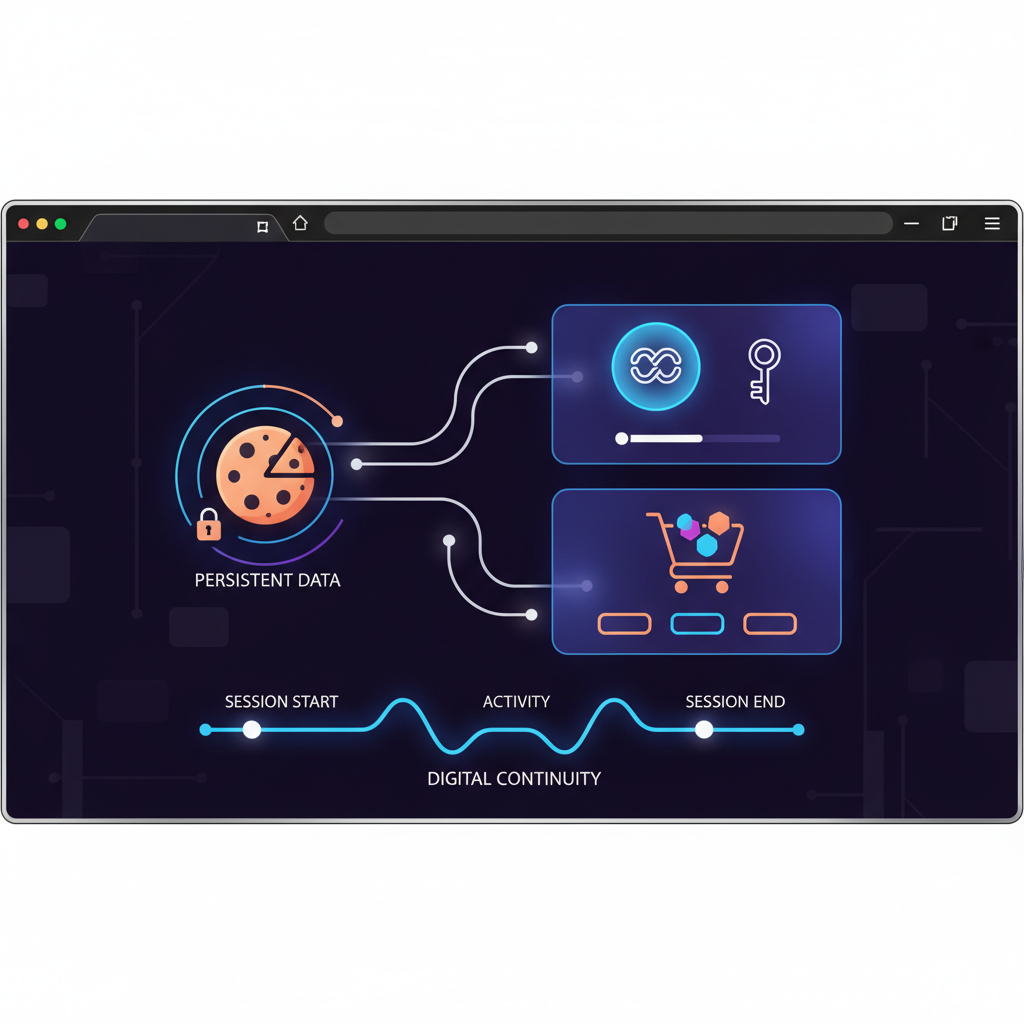
Cookie persistence maintains account session continuity across browser restarts, device changes, and extended offline periods. Session state includes authentication tokens, preference settings, shopping cart contents, and platform-specific tracking identifiers that platforms use to recognize returning users.
Storage mechanisms vary between local file systems and cloud synchronization. Local storage keeps cookies and session data on the specific device running the profile. This provides better security but breaks continuity when team members access profiles from different computers. Cloud synchronization uploads cookie data and session state to remote servers for cross-device access.
Data synchronization between devices requires careful timing and conflict resolution. Two team members editing the same profile simultaneously create data conflicts. The last-saved session overwrites previous changes, potentially losing authentication status or account progress. Proper synchronization systems lock profiles during active use and merge non-conflicting changes automatically.
Backup and recovery protocols prevent data loss when profiles become corrupted or accidentally deleted. Daily automated backups capture cookie data, local storage contents, and browser extension settings. Recovery procedures restore profiles to specific timestamps, allowing teams to revert problematic changes or recover from detection events.
Platform updates that clear cookies represent the biggest threat to session continuity. Social media platforms periodically force logout events across all devices. E-commerce sites expire authentication tokens after security updates. Email providers reset session cookies during infrastructure changes. Session restoration success rate stays above 95% with proper cookie management that monitors platform behaviors and maintains backup authentication methods.
Profile-level isolation prevents cookie bleeding between accounts. Each browser profile maintains separate cookie storage, local storage databases, and session management systems. Shared cookie storage between profiles creates detection opportunities when platforms correlate account activities through common session identifiers.
Automation Integration Methods and Limits
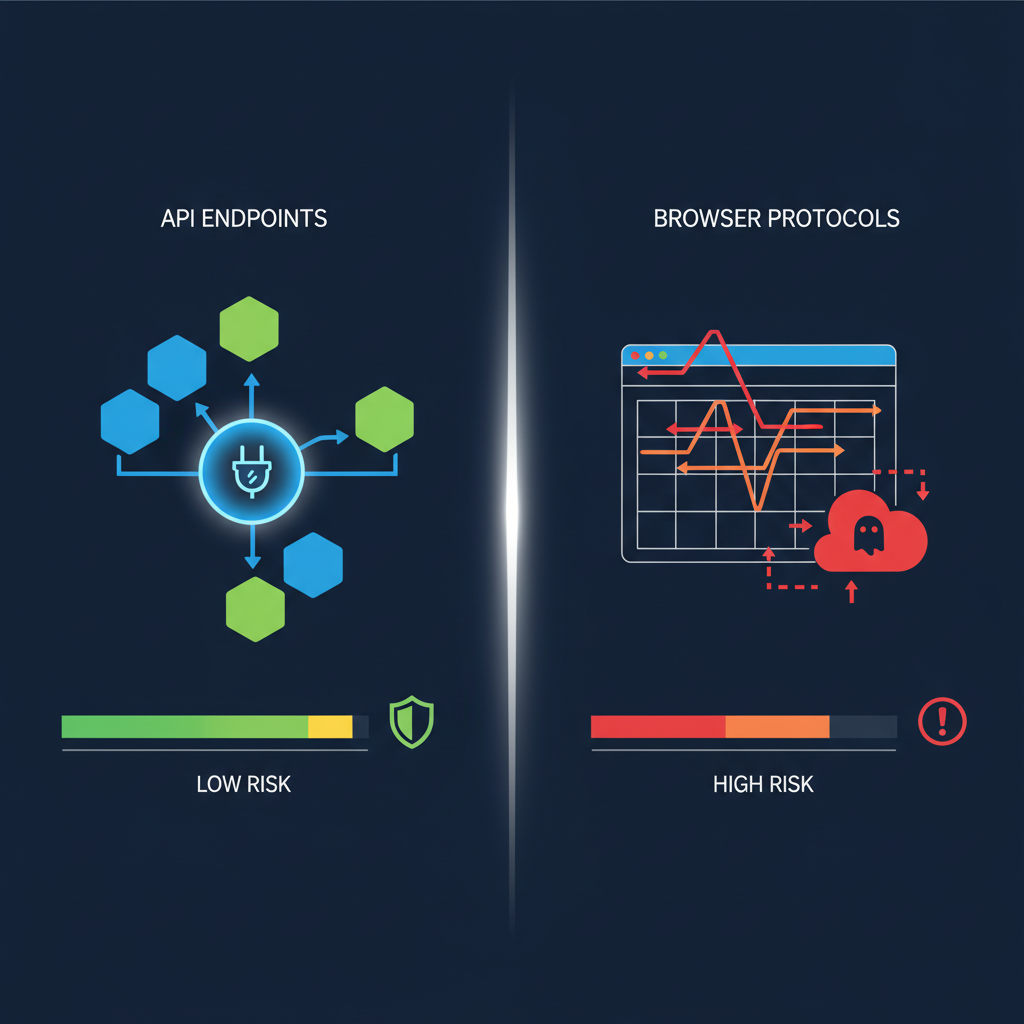
Automation tools integrate through API endpoints and browser control protocols, but detection risks increase with automation sophistication. Each approach carries specific advantages and limitations for profile-based operations.
| Tool | Detection Risk Level | Best Use Case | Profile Compatibility |
|---|---|---|---|
| Playwright | Low | Complex workflows requiring JavaScript execution | High – supports multiple browser engines |
| Selenium WebDriver | Medium | Cross-platform automation with extensive library support | Medium – requires careful configuration |
| Chrome DevTools Protocol | High | Direct browser control with maximum capability | Low – easily detected by advanced platforms |
| Browser Extensions | Low | Simple tasks with human-like timing patterns | High – appears as legitimate browser enhancement |
| HTTP Requests | Very High | API interactions without browser simulation | None – bypasses browser entirely |
Playwright offers the best balance between capability and detection avoidance. It controls real browser instances without modifying browser internals, maintaining authentic fingerprints while enabling complex automation workflows. The tool supports headless and headed modes, allowing teams to observe automation during development and run silently during production.
Selenium WebDriver works well for established workflows but requires more careful configuration to avoid detection signatures. The tool injects automation markers that sophisticated platforms detect through JavaScript analysis. Selenium automation leaves traces in browser memory and execution timing that differ from human interaction patterns.
Chrome DevTools Protocol provides direct browser control but creates obvious automation signatures. This approach works for internal tools and testing but fails quickly against modern detection systems. CDP connections modify browser behavior in ways that platforms easily identify.
Behavioral pattern maintenance during automation requires human-like timing and interaction sequences. Random delays between actions, mouse movement simulation, and typing speed variation help maintain authentic user signatures. Rate limiting prevents automation from exceeding human-possible interaction speeds.
Detection risks compound with automation complexity. Simple form filling stays under detection thresholds. Multi-step workflows with rapid navigation trigger behavioral analysis. Parallel automation across multiple profiles creates correlation opportunities when platforms detect synchronized activities.
Team Collaboration and Profile Sharing Systems

Team collaboration requires centralized profile management with access controls that prevent conflicts and maintain audit trails. Profile sharing without proper systems creates data corruption and security vulnerabilities.
Five essential components of team profile management systems include:
Access control and permission systems. Role-based permissions determine which team members can create, edit, or delete specific profiles. Read-only access allows monitoring without modification risks. Administrator controls manage team membership and access level assignments.
Version control and change tracking. Every profile modification generates a timestamped record showing which team member made specific changes. Version history allows rollback to previous profile states when problems occur. Change logs help identify correlation patterns that might trigger platform detection.
Profile locking and session management. Active session locks prevent multiple team members from editing the same profile simultaneously. Automatic timeouts release locks when sessions become inactive. Override capabilities allow administrators to reclaim locked profiles during emergencies.
Conflict resolution and data merging. Automated systems detect when profile changes conflict with existing data and require manual resolution. Smart merging preserves non-conflicting updates while flagging incompatible modifications. Backup restoration provides fallback options when conflicts cannot be resolved.
Audit trails and compliance logging. Complete activity logs track every profile access, modification, and sharing event with user identification and timestamp data. Compliance reports help teams demonstrate proper account management practices during platform investigations or legal reviews.
Handoff procedures standardize profile transfer between team members during shift changes or project transitions. Proper handoffs include status updates, pending tasks, warming schedules, and any platform-specific considerations that affect profile management.
Centralalized systems prevent profile fragmentation where different team members maintain separate copies of the same accounts. Fragmented profiles lose synchronization quickly and create detection opportunities when platforms observe conflicting behavioral patterns from the same supposed user.
Account Warming and Behavioral Pattern Development
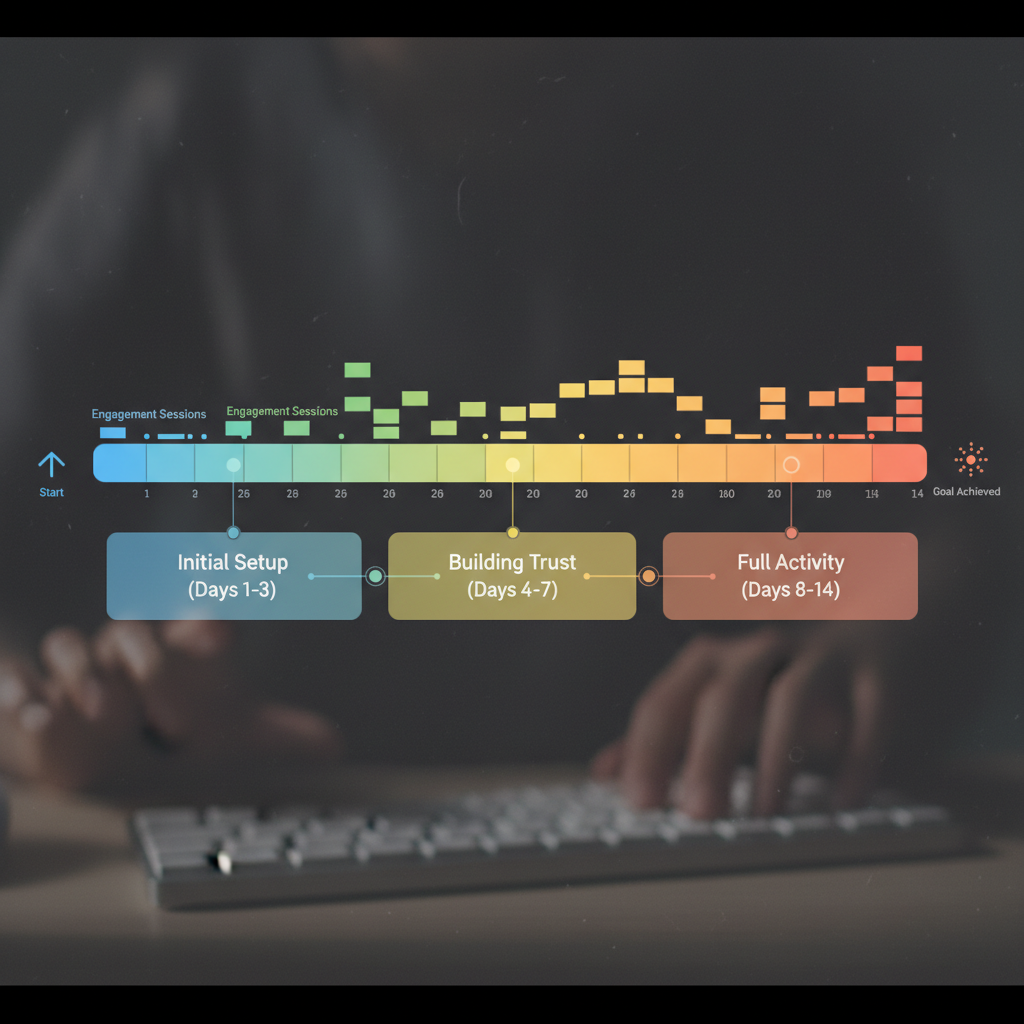
Account warming establishes legitimate behavioral patterns before commercial activity begins. This process requires 7-14 days minimum with 3-5 organic sessions per day to create authentic user engagement histories that platforms recognize as genuine.
Warming timeline depends on platform sophistication and account age requirements. Social media platforms typically need 10-14 days of organic engagement before accepting commercial posts. E-commerce platforms require 7-10 days of browsing behavior before processing transactions. Email platforms warm faster, needing only 5-7 days of reading and organizational activity.
Organic behavior simulation covers browsing patterns, interaction timing, content engagement, and platform-specific activities that legitimate users perform. Social media warming includes profile completion, friend connections, content consumption, and gradual engagement increases. E-commerce warming involves product browsing, price comparisons, wishlist creation, and account setting configuration.
Session frequency during warming maintains consistent platform engagement without appearing automated. Three sessions per day provides sufficient activity volume for most platforms. Five daily sessions works for high-engagement platforms like social media. Fewer than three sessions weekly appears inactive and may trigger account verification requirements.
Platform-specific warming requirements vary based on detection sophistication and user behavior expectations. Professional platforms expect longer content consumption periods and careful network building. Shopping platforms focus on browsing depth and price sensitivity patterns. Communication platforms prioritize message timing and contact relationship development.
Measuring warming effectiveness involves monitoring platform responses, feature access, and verification requirements. Successfully warmed accounts receive full platform functionality without additional verification requests. Failed warming triggers enhanced security measures, identity verification requirements, or account restrictions.
Transitioning to commercial activity requires gradual activity level increases rather than sudden behavior changes. Commercial posts should represent less than 20% of total content during initial weeks. Transaction volumes should start low and increase gradually based on account history and platform limits.
Scaling Operations: When and How to Expand Profile Management

Scaling operations requires systematic workflow automation and infrastructure planning when manual coordination becomes inefficient. The 50-profile threshold represents the point where individual profile management breaks down and teams need structured systems.
Manual management works effectively up to 15-20 profiles because individuals can track warming schedules, session requirements, and account status mentally. Beyond this threshold, coordination failures increase rapidly. Team members forget warming schedules, duplicate efforts, or skip critical maintenance tasks.
Infrastructure requirements scale with profile volume and team size. Each profile needs dedicated proxy connections, storage space for cookies and session data, and computing resources for automation tasks. Storage grows predictably, expect 50-100MB per profile including cookies, cache, and configuration data.
Team coordination at scale demands clear role assignments and communication protocols. Profile ownership prevents conflicts when specific team members maintain responsibility for defined account groups. Cross-training ensures continuity when team members are unavailable. Standard operating procedures document warming requirements, automation schedules, and escalation protocols.
Monitoring and maintenance systems become essential beyond 50 profiles. Automated health checks verify profile functionality, proxy connectivity, and session persistence. Alert systems notify teams when profiles require attention or exhibit unusual behavior patterns. Performance dashboards track warming progress, automation success rates, and resource utilization.
Cost analysis helps determine optimal scaling approaches. Additional profiles require proxy subscriptions, storage capacity, and computing resources. Team expansion needs training time and coordination overhead. Automation development requires upfront investment but reduces long-term operational costs.
Performance optimization focuses on resource utilization and task scheduling. Batch operations reduce computing overhead by grouping similar tasks. Parallel processing speeds up warming and maintenance activities. Priority queues ensure critical profiles receive attention before lower-priority accounts.
Anti detect browser comparison methodology becomes crucial during scaling decisions. Different platforms handle large profile volumes differently. Some excel at automation integration but struggle with team collaboration. Others provide excellent profile isolation but limited scaling capabilities.
Frequently Asked Questions
How long does it take to properly warm up a new browser profile?
Account warming takes 7-14 days minimum with 3-5 organic sessions per day. Commercial activity should only begin after establishing consistent behavioral patterns that match legitimate user engagement. Platform sophistication determines exact timing requirements.
What’s the difference between browser profiles and regular Chrome user profiles?
Browser profiles provide complete environment isolation including timezone, locale, WebRTC settings, and canvas fingerprints. Regular Chrome profiles only separate bookmarks and passwords while sharing the same underlying fingerprint. This shared fingerprint creates detection opportunities for platforms analyzing browser characteristics.
Can you share browser profiles between team members safely?
Yes, but only with centralized profile management systems that track access, maintain version control, and log all changes. Direct profile file sharing creates conflicts and breaks session continuity. Proper sharing systems prevent simultaneous editing and maintain data integrity.
How many accounts can you manage before needing automation?
Manual management becomes inefficient beyond 15-20 profiles due to warming schedules and session maintenance requirements. Automation becomes essential for consistent behavioral patterns at scale. The exact threshold depends on team size and account complexity.

Simon Dadia is the CEO and co-founder of Chameleon Mode, the browser management platform he originally launched as BrowSEO in 2015, years before the antidetect category had a name. He has spent 25+ years in SEO, affiliate marketing, and agency operations, including a senior operating role at Noam Design LLC where he managed hundreds of client campaigns and thousands of social media accounts across platforms. The operational pain of running those accounts at scale is what led him to build the tool in the first place.
Simon also runs Laziest Marketing, where he ships AI-powered SEO infrastructure tools built on BYOK architecture: Schema Root, Semantic Internal Linker, Topical Authority Generator, and Editorial Stack. Father of 4. Based in Israel.