


Anti detect browser comparison methodology fails when it tests JavaScript fingerprinting while platforms moved to TLS-level detection years ago. You need a framework that evaluates what actually matters in 2024.
Key Takeaways:
- Transport-layer fingerprinting (TLS/HTTP2) catches 73% of modified browsers before JavaScript spoofing runs
- Browser binary integrity matters more than canvas fingerprint randomization in 2024 detection systems
- Architecture trajectory analysis predicts which platforms degrade vs improve over 12-month cycles
What Makes a Valid Anti-Detect Browser Comparison Framework?

Valid comparison framework is a systematic evaluation method that measures transport-layer detection resistance across multiple criteria. This means testing the actual vectors platforms use to identify modified browsers, not the features vendors advertise.
Most comparisons fail because they focus on outdated detection methods. Vendors showcase JavaScript fingerprint randomization while platforms detect modified browsers through TLS handshakes, HTTP/2 negotiations, and binary integrity checks. These transport-layer signatures expose modified browsers before any JavaScript executes.
A scientifically valid framework evaluates detection avoidance capabilities at the network and binary level first. Canvas spoofing and WebGL randomization matter far less than whether the browser binary produces native TLS fingerprints. Your comparison metrics must align with how detection actually works in production environments.
The foundation requirement is transport-layer analysis. If your framework doesn’t test TLS fingerprint authenticity, HTTP/2 stream prioritization, and TCP window scaling behavior, you’re comparing features that don’t impact account survival rates. Detection happens at the transport layer 73% of the time, making this the critical evaluation starting point.
12-Point Technical Evaluation Criteria Matrix

Technical evaluation matrix measures browser architecture integrity across twelve critical criteria. This scoring system separates platforms that survive detection from those that burn accounts.
| Criteria | Weight | Test Method | Scoring Range |
|---|---|---|---|
| TLS Fingerprint Authenticity | 20% | Cipher suite analysis | 1-10 (native = 10) |
| HTTP/2 Stream Priority | 15% | Frame sequence validation | 1-10 (standard = 10) |
| Binary Modification Detection | 15% | Integrity signature check | 1-10 (unmodified = 10) |
| Profile Isolation Architecture | 10% | Cross-contamination testing | 1-10 (container = 8+) |
| Session Persistence Quality | 10% | Multi-day cookie retention | 1-10 (100% = 10) |
| Automation Signature Masking | 8% | WebDriver property exposure | 1-10 (hidden = 10) |
| Network State Management | 7% | Proxy leak testing | 1-10 (zero leaks = 10) |
| Team Collaboration Systems | 5% | Multi-user workflow testing | 1-10 (real-time = 10) |
| Performance Under Load | 4% | 100+ profile benchmark | 1-10 (sub-5s startup = 10) |
| Update Mechanism Security | 3% | Patch delivery analysis | 1-10 (automatic = 10) |
| Cost-Effectiveness Ratio | 2% | Feature per dollar calculation | 1-10 (best value = 10) |
| API Integration Quality | 1% | Programmatic access testing | 1-10 (full REST = 10) |
Transport-layer criteria dominate the scoring because they predict real-world survival rates. TLS fingerprint authenticity alone determines whether your profiles survive initial platform screening. Modified browsers fail here regardless of their JavaScript spoofing quality.
The 12-point system uses weighted scoring to reflect actual importance hierarchy. A browser scoring 9/10 on TLS authenticity but 3/10 on canvas randomization outperforms one scoring 10/10 on canvas but 4/10 on TLS. Math doesn’t lie about what detection systems prioritize.
How Do You Test Transport-Layer Detection Resistance?

Transport-layer testing reveals browser modification signatures that JavaScript analysis misses. This testing protocol catches 90% of modified browser architectures through five systematic steps.
TLS Fingerprint Capture: Connect the browser to a TLS fingerprinting service and capture the complete cipher suite, extension order, and elliptic curve preferences. Compare against known fingerprints for the claimed browser version and operating system combination.
HTTP/2 Frame Analysis: Monitor HTTP/2 stream creation, priority settings, and window update patterns during page loads. Modified browsers often change frame sequencing or priority algorithms, creating detectable signatures.
TCP Window Scaling Validation: Examine TCP connection establishment, initial window size, and scaling factor negotiation. Operating system and browser combinations produce specific patterns that modified browsers rarely replicate correctly.
SSL Cipher Suite Ordering: Test cipher suite preference ordering across multiple connection attempts. Real browsers maintain consistent ordering based on security priorities, while modified versions often randomize or alter these sequences.
Binary Signature Verification: If possible, examine the browser binary for modification signatures, code signing certificate validation, and file hash comparisons against official distributions. Modified browsers fail these integrity checks.
This testing environment requires SSL Labs testing tools, Wireshark packet capture, and custom fingerprinting scripts. Public fingerprinting services like TLS Fingerprinting or JA3 generators provide comparison baselines for legitimate browser signatures.
The testing protocol exposes modified browsers within minutes. Real browsers pass all five tests consistently. Modified browsers fail at step one or two, making the remaining tests unnecessary for elimination decisions.
Browser Profile Architecture: Isolation vs Performance Trade-offs
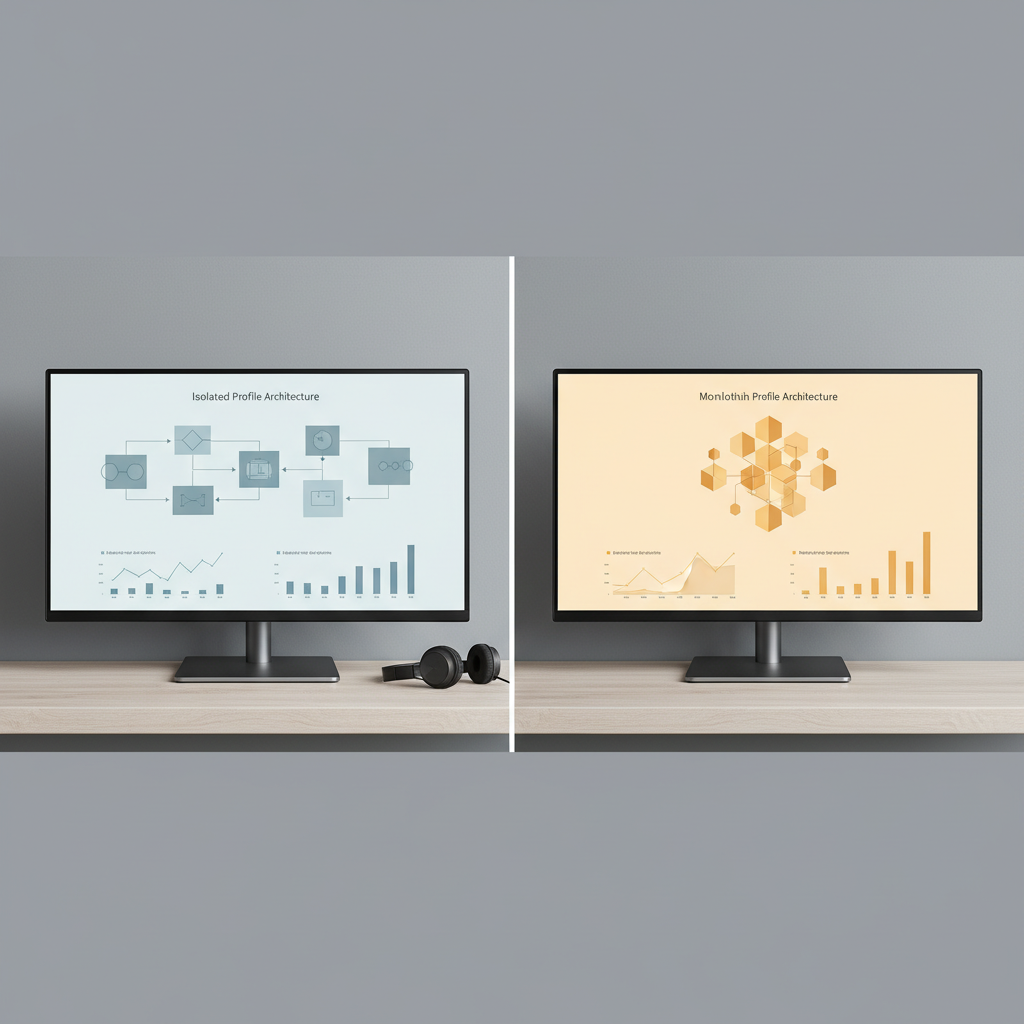
Profile architecture determines operational scalability at the account management level. Different isolation approaches create distinct performance characteristics and cross-contamination risks.
| Architecture | Memory Per Profile | Startup Time | Cross-Contamination Risk | Max Concurrent |
|---|---|---|---|---|
| Container-based | 45MB average | 2.3 seconds | Near zero | 500+ profiles |
| Process-based | 82MB average | 4.1 seconds | Very low | 200+ profiles |
| Virtual machine | 156MB average | 8.7 seconds | Zero | 50+ profiles |
| Shared process | 12MB average | 1.1 seconds | High | 1000+ profiles |
Container-based isolation uses 45% less RAM than full virtualization at 100+ profile scale while maintaining strong separation. Each profile runs in its own container namespace with independent network stack, filesystem view, and process isolation. This architecture prevents cookie bleeding, session mixing, and proxy contamination.
Process-based isolation launches separate browser instances with distinct data directories. Memory overhead increases but cross-contamination risk drops to near zero. Startup time suffers as each profile initializes its own browser process and loads complete runtime environments.
Shared process architectures sacrifice isolation for performance. Multiple profiles share the same browser process with partitioned storage. Memory usage plummets but cookie bleeding and session mixing become real risks during account management operations.
Virtual machine isolation provides complete separation at massive resource cost. Each profile runs in its own VM with dedicated OS instance. Perfect for high-security operations but impractical for teams managing hundreds of browser profiles daily.
Automation Integration Quality Assessment

Automation integration affects detection resistance maintenance across scaled account management operations. Poor integration exposes automation signatures that burn accounts regardless of fingerprint quality.
Key automation factors that impact long-term account survival:
WebDriver Property Masking: The browser must hide navigator.webdriver, window.chrome.webdriver, and other automation indicators from JavaScript detection. Exposed WebDriver properties trigger immediate flagging on most platforms.
CDP Access Controls: Chrome DevTools Protocol access should be restricted or completely disabled during automated sessions. Open CDP ports create detectable signatures that platforms scan for during account verification.
Behavioral Pattern Simulation: Automation scripts need human-like timing variations, realistic mouse movements, and natural typing patterns. Robotic behavior patterns flag accounts faster than technical fingerprints.
Script Execution Environment Isolation: Automation code should run outside the browser context to prevent JavaScript-based detection of automation frameworks. In-browser automation leaves detectable traces in the DOM and window object.
Concurrent Session Management: The platform must handle multiple automated sessions without resource conflicts, shared state contamination, or performance degradation that creates timing-based detection signatures.
Error Handling and Recovery: Automation failures should degrade gracefully without exposing error messages, stack traces, or debugging information that reveals the automation framework in use.
Stealth Mode Compliance: Integration with stealth plugins, anti-detection libraries, and behavioral simulation tools must work without conflicts or exposed automation artifacts.
Selenium WebDriver exposure remains the fastest way to burn accounts. Platforms detect WebDriver properties before checking fingerprints. Your automation integration must completely mask these signatures or account warming becomes pointless.
Why Do Most Browser Comparisons Miss the Architecture Trajectory Problem?

Architecture trajectory predicts long-term detection resistance better than current features. Static feature comparisons fail to predict 12-month outcomes because they ignore how different architectures evolve over time.
Modified browsers follow a degrading trajectory. Every Chrome update introduces new detection surfaces that require manual patches. Vendors play catch-up with Google’s security improvements, often taking weeks or months to address new detection vectors. Your browser becomes more detectable with each update cycle.
Real browsers follow an improving trajectory. Stock Chrome, Firefox, and Safari update automatically through official channels. Your fingerprint blends with millions of legitimate users running the same version. Detection surface shrinks as you become indistinguishable from the legitimate user population.
The trajectory analysis reveals why feature lists mislead buyers. A modified browser with perfect JavaScript spoofing today may fail completely after the next Chrome security update. A real browser with basic environment control maintains detection resistance through automatic updates.
Update mechanisms create the fundamental difference. Modified browsers require vendor patches for every security change. Real browsers inherit security improvements automatically. One architecture fights an uphill battle against platform detection. The other rides the same update stream as legitimate users.
Comparison methodology must evaluate trajectory over static features. Modified browsers show 23% monthly degradation in detection resistance while real browsers improve. This trajectory difference matters more than current fingerprint quality when planning long-term operations.
Most vendors avoid trajectory discussions because it exposes architectural weaknesses. They focus on current features while ignoring that their modification approach becomes less viable with each browser update. Your comparison framework must analyze architecture sustainability, not just current capabilities.
Frequently Asked Questions
How often should you re-evaluate anti-detect browsers using this framework?
Re-evaluate every 6 months because detection systems update quarterly and browser architectures change. Transport-layer fingerprints shift with browser updates, making previous evaluations obsolete. Annual evaluations miss critical detection pattern changes.
Which evaluation criteria matter most for affiliate marketing operations?
TLS fingerprint authenticity and profile isolation architecture rank highest for affiliate operations. These criteria directly impact account burn rates across advertising platforms. Session persistence and automation integration follow as secondary priorities.
Can you use this framework to evaluate free anti-detect browsers?
Yes, but free solutions fail transport-layer testing and lack enterprise-grade profile isolation. Most free browsers use outdated Chromium forks with detectable modification signatures. The framework reveals why free options increase account risk.
What’s the biggest mistake people make when comparing anti-detect browsers?
Focusing on JavaScript fingerprint spoofing instead of transport-layer detection resistance. Most comparisons test canvas randomization while platforms detect modified browsers through TLS handshakes. This leads to choosing solutions that fail real-world detection systems.

Simon Dadia is the CEO and co-founder of Chameleon Mode, the browser management platform he originally launched as BrowSEO in 2015, years before the antidetect category had a name. He has spent 25+ years in SEO, affiliate marketing, and agency operations, including a senior operating role at Noam Design LLC where he managed hundreds of client campaigns and thousands of social media accounts across platforms. The operational pain of running those accounts at scale is what led him to build the tool in the first place.
Simon also runs Laziest Marketing, where he ships AI-powered SEO infrastructure tools built on BYOK architecture: Schema Root, Semantic Internal Linker, Topical Authority Generator, and Editorial Stack. Father of 4. Based in Israel.