


Key Takeaways
- An antidetect browser creates fake digital fingerprints so each browser profile appears as a different device to websites—enabling multi-account management without platform detection.
- VPNs only hide your IP address. Antidetect browsers hide what device you are—two completely different problems.
- The technology worked brilliantly from 2015-2022. Detection has since moved to the transport layer (TLS fingerprinting), and modified Chromium builds are increasingly getting caught.
- The future isn’t better spoofing—it’s not spoofing at all. Real browser management (controlling environment, not modifying the browser) is emerging as the sustainable alternative.
What Exactly is an Antidetect Browser?
An antidetect browser is specialized software—typically a modified Chromium or Firefox build—that generates unique digital fingerprints for each browser profile, making multiple accounts appear to originate from completely separate devices. Each profile isolates cookies, cache, localStorage, and fingerprint data so platforms cannot link accounts together.
Here’s the problem antidetect browsers solve: Incognito mode does nothing. VPNs change your IP but leave your device fingerprint untouched. And platforms like Meta, Google, and Amazon got very good at fingerprinting around 2018. They don’t just track cookies anymore. They track you—your hardware configuration, your fonts, your graphics card rendering, your screen resolution.
An antidetect browser lies about all of it.
You’re on a Windows desktop? The browser tells Facebook you’re on a MacBook. Your screen is 2560×1440? It reports 1920×1080. You have 47 fonts installed? It reports 23 different ones.
This is the core mechanic. Every profile is a fabricated identity.
I’ve worked with these tools since 2016 when WebRTC was a big deal. They solved a real problem for marketers, agencies, and anyone running multiple accounts professionally. But the ground has shifted underneath the entire category, and most users haven’t noticed yet.
The Core Problem: What is Browser Fingerprinting?
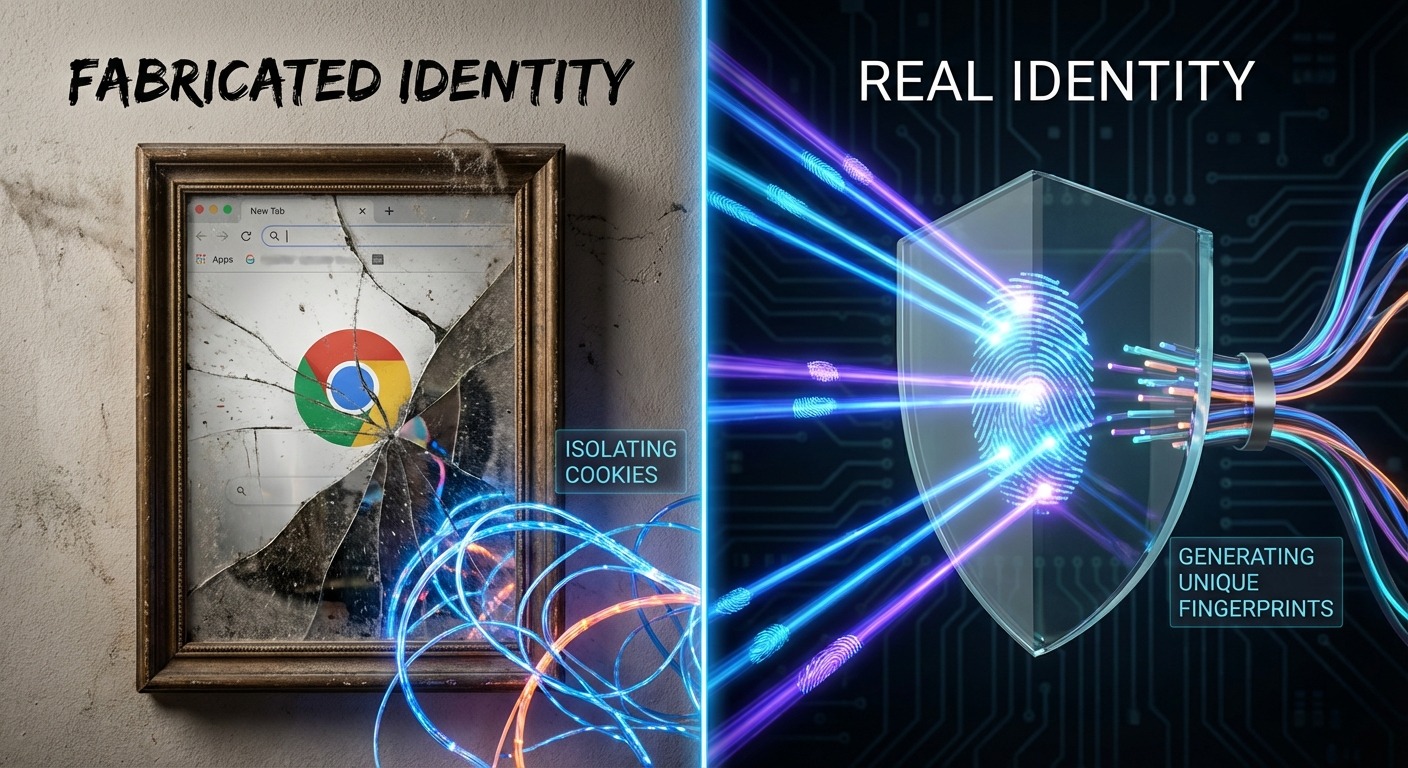
Browser fingerprinting is a tracking method that identifies users by collecting dozens of hardware and software signals—creating a unique “fingerprint” that persists even when you clear cookies, use incognito mode, or switch accounts.
Websites don’t need cookies to track you. They never did. Cookies were just convenient. The real identification happens through your browser’s technical characteristics.
The Fingerprint Variables
Here’s what websites actually collect:
| Data Point | What It Reveals | Why It Matters |
|---|---|---|
| User Agent String | OS version, browser version, device type | Basic identifier—easy to spoof |
| Canvas Fingerprint | How your GPU renders 2D graphics | Highly unique per hardware config |
| WebGL Fingerprint | 3D rendering characteristics | Even more unique than Canvas |
| AudioContext | How your system processes audio | Another hardware-specific signal |
| Screen Resolution | Display dimensions + color depth | Combined with others, narrows identity |
| Installed Fonts | Your specific font library | Surprisingly unique per machine |
| WebRTC | Real-time communication protocols | Often leaks real IP behind VPNs |
| Timezone + Language | Regional settings | Geographic confirmation |
| Hardware Concurrency | CPU core count | Hardware identification |
| Device Memory | Available RAM | Another hardware signal |
When combined, these signals create a fingerprint that’s 94%+ unique for most users. Change your IP all you want. Clear cookies religiously. Your device fingerprint stays constant.
Log into three different Gmail accounts from one browser? Google knows they’re all you. Not because of cookies—because your Canvas fingerprint, WebGL hash, and font list are identical across all three sessions.
This is why multi-accounting became impossible on a normal browser. Platforms cross-reference fingerprints. Matching fingerprints across accounts equals linking. Linking equals bans.
How Does an Antidetect Browser Work?

Antidetect browsers work by creating isolated browser profiles, each with its own spoofed fingerprint data, cookies, and browsing context—so every profile appears to be a completely different device to the websites you visit.
Three mechanisms make this possible:
1. Profile Isolation (The Container)
Each profile runs in a sandboxed container. This isn’t like opening a new Chrome window. It’s a completely separate browser instance with:
- Its own cookie jar
- Its own localStorage
- Its own cache
- Its own IndexedDB
- Its own session data
Nothing leaks between profiles. Profile A cannot see Profile B’s data. They’re hermetically sealed.
2. Fingerprint Spoofing (The Lies)
This is the distinctive feature. The browser doesn’t just hide fingerprint data—hiding looks suspicious. It replaces your real fingerprint with fabricated values.
The spoofing typically covers:
- Canvas rendering (injected noise or alternative rendering)
- WebGL parameters (fake GPU information)
- User agent (different OS, browser version)
- Screen resolution (arbitrary dimensions)
- Timezone (matched to proxy location)
- Language/locale (matched to identity)
- Font list (curated set per profile)
- Hardware specs (fake CPU cores, memory)
Each profile gets a different combination. Profile A is a MacBook in Berlin. Profile B is a Windows desktop in São Paulo. Profile C is a Chromebook in Tokyo. All running on your single actual machine.
3. Chromium/Firefox Core
Most antidetect browsers are forks of Chromium (Chrome’s open-source base) or Firefox. They modify the browser’s source code to intercept fingerprinting calls and return spoofed values instead of real ones.
The user experience stays familiar—it looks and feels like Chrome because it basically is Chrome, just with modified internals.
Antidetect Browser vs. VPN vs. Virtual Machine
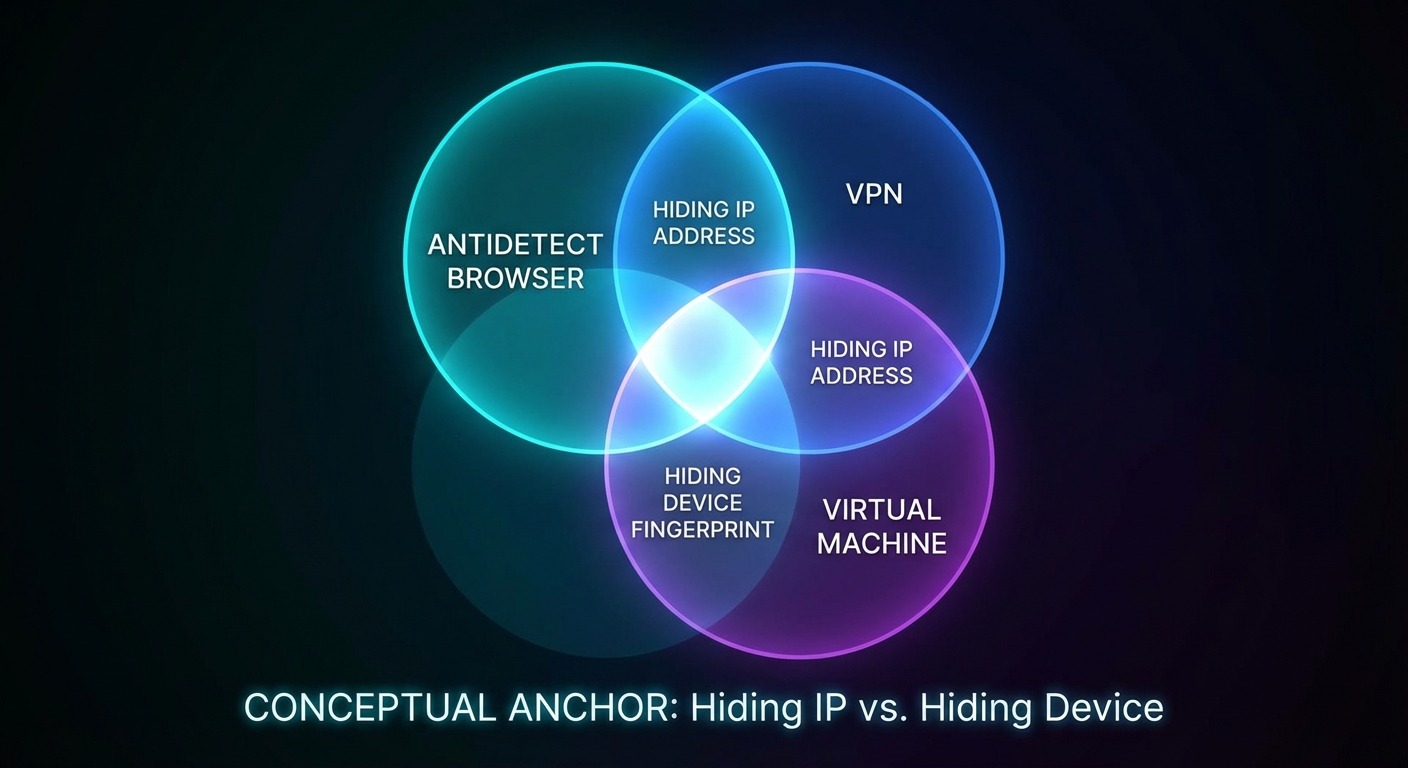
A VPN hides where you are. An antidetect browser hides what device you are. These solve different problems and are typically used together, not as alternatives.
This comparison matters because I constantly see people thinking a VPN handles multi-accounting. It doesn’t. Never did.
| Capability | Antidetect Browser | VPN/Proxy | Virtual Machine |
|---|---|---|---|
| Hides IP Address | Via proxy integration | Yes (primary function) | Only if combined with VPN |
| Hides Device Fingerprint | Yes (primary function) | No | Yes (different OS instance) |
| Profile Scalability | High (100s of profiles) | N/A (1 connection) | Low (4-8 VMs max per machine) |
| Resource Usage | Low (1 browser, multiple profiles) | Minimal | Extreme (8GB+ RAM per VM) |
| Setup Complexity | Low (install and configure) | Very low | High (OS installation per VM) |
| Fingerprint Uniqueness | Configurable per profile | N/A | Genuinely unique per VM |
| Detection Risk | Medium (spoofing can be detected) | Low (IP change is legitimate) | Low (real separate systems) |
The Real Comparison
VPN: Changes your IP. That’s it. Your fingerprint stays identical. Run three accounts through the same VPN? Same fingerprint. Platforms link them instantly.
Virtual Machine: Actually creates separate systems with genuinely different fingerprints. The fingerprint is real because the OS instance is real. But you need 8GB+ RAM per VM, and running more than 4-8 simultaneously requires enterprise hardware. Doesn’t scale.
Antidetect Browser: Sits in the middle. One machine, hundreds of fake fingerprints. Scalable and practical. The tradeoff: you’re lying, and detection systems are learning to spot lies.
For most multi-accounting use cases, antidetect browsers won because VMs don’t scale and VPNs don’t address the actual problem. The question now is whether the antidetect approach remains viable as detection evolves.
Who Needs an Antidetect Browser? (Real Use Cases)
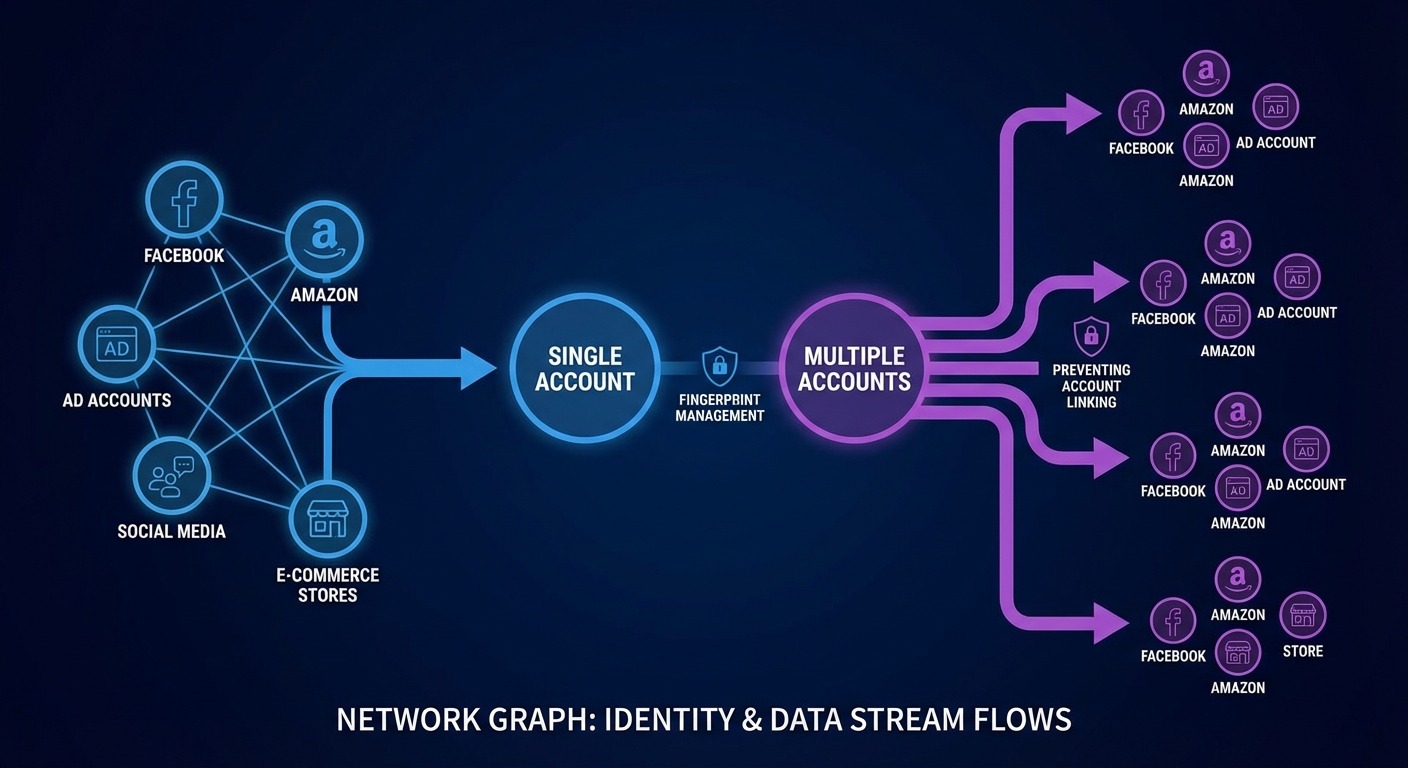
Anyone running multiple accounts on platforms that prohibit or restrict multi-accounting needs fingerprint management—whether through antidetect browsers or alternative approaches.
Let me be specific about the actual use cases. Generic “privacy” isn’t why people buy these tools.
Affiliate Marketing & Media Buying
The canonical use case. Facebook, Google, and TikTok aggressively ban ad accounts. One policy violation—sometimes legitimate, sometimes algorithmic false positives—and you’re done. Your business dies overnight.
Professional affiliates run dozens or hundreds of accounts. When one gets banned, the others survive because they appear to be different advertisers on different devices. The fingerprint separation is the insurance policy.
Scale: 50-500 profiles typical for serious operations.
Social Media Agencies (SMM)
Managing 30 client Instagram accounts from one laptop triggers fraud alerts. Instagram sees 30 accounts logging in from identical devices and assumes account farming.
Antidetect browsers make each client login appear to originate from that client’s own device. Different fingerprint per account. No linking. No suspicious activity flags.
Scale: 20-100 profiles typical for mid-size agencies.
E-Commerce Multi-Store Operations
Amazon, eBay, and Etsy explicitly prohibit operating multiple seller accounts. One seller, one account, period. They enforce this through fingerprinting.
Sellers running multiple storefronts—whether for different product lines, different brands, or risk distribution—use antidetect browsers to prevent linking between stores.
Scale: 5-50 profiles typical.
Competitive Intelligence & Scraping
Collecting competitor pricing data, SERP data, or market research at scale gets you blocked. Anti-bot systems (Cloudflare, PerimeterX, DataDome) fingerprint requesting browsers and block non-human patterns.
Antidetect browsers with residential proxies bypass many of these protections by appearing as legitimate user traffic.
Scale: Varies wildly. Some operations run thousands of profiles.
Crypto & Airdrop Operations
Blockchain airdrops often distribute tokens based on wallet eligibility. Operating multiple wallets from one device creates linkable patterns. Antidetect browsers prevent on-chain and off-chain identity correlation.
Scale: 10-100+ profiles for active participants.
Key Features to Evaluate in 2026

The features that matter most depend on your scale and technical sophistication—but profile isolation quality, fingerprint consistency, and team collaboration cover most professional needs.
Profile Management
- Bulk creation: Can you generate 100 profiles with randomized fingerprints in one operation?
- Tagging/organization: How do you find profile #247 out of 500?
- Import/export: Can you back up profiles or migrate between machines?
Fingerprint Quality
- Consistency: Does the fingerprint stay stable across sessions? Changing fingerprints between logins is a detection signal.
- Realism: Are the fingerprint combinations plausible? (Claiming MacOS with Windows-only fonts fails consistency checks.)
- Coverage: Does it handle Canvas, WebGL, AudioContext, ClientRects, and emerging fingerprint vectors?
Proxy Integration
- Per-profile assignment: Different proxy per profile, not global proxy
- Protocol support: HTTP, HTTPS, SOCKS5
- Rotation options: Sticky sessions vs. rotating IPs
Team Collaboration
- Profile sharing: Can you share access without sharing credentials?
- Permission levels: Read-only vs. full control
- Audit trails: Who accessed which profile when?
Automation Support
- Selenium/Puppeteer/Playwright compatibility: Critical for scaled operations
- API access: Programmatic profile creation and management
- Headless mode: Running without visible browser windows
Cookie Management
- Import “warm” cookies: Pre-authenticated session cookies that make accounts appear established
- Cookie isolation: No leakage between profiles
- Export capabilities: Backing up session state
The Problem Nobody Talks About: Why Antidetect Is Breaking
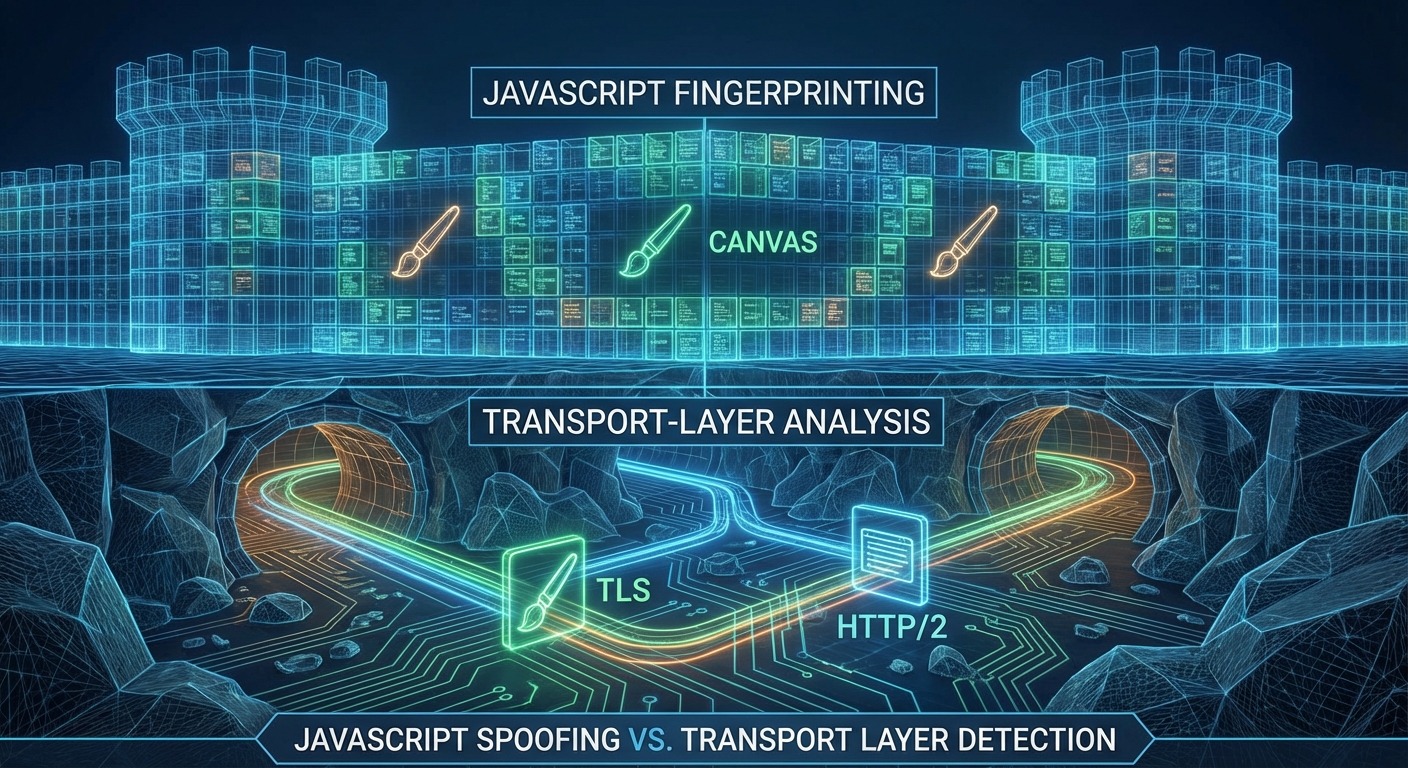
Detection moved from JavaScript fingerprinting to transport-layer analysis. Modified Chromium browsers fail TLS fingerprint checks before any JavaScript spoofing code even runs.
I need to level with you because nobody in this industry wants to say it publicly: the antidetect browser model is degrading.
Here’s what happened:
Phase 1 (2015-2018): JavaScript Fingerprinting Era
Platforms collected fingerprints via JavaScript—Canvas, WebGL, fonts, screen size. Antidetect browsers intercepted these JavaScript calls and returned spoofed values. Cat and mouse, but the mouse was winning.
Phase 2 (2018-2022): Fingerprinting Arms Race
Platforms added more vectors. Antidetect browsers spoofed more vectors. AudioContext fingerprinting appeared, then ClientRects, then dozens of micro-signals. Antidetect vendors kept patching. Still workable.
Phase 3 (2022-Present): Transport Layer Detection
This is where it breaks down.
Platforms started fingerprinting at the TLS handshake level—before your page loads, before JavaScript runs, before any spoofing code executes.
TLS fingerprinting (JA3/JA4): Your browser’s TLS handshake has a signature based on cipher suites, extensions, and ordering. Real Chrome has a specific signature. Modified Chromium has a different signature. Platforms can detect this at the connection level.
HTTP/2 fingerprinting: How your browser negotiates HTTP/2 settings (SETTINGS_HEADER_TABLE_SIZE, SETTINGS_MAX_CONCURRENT_STREAMS, window sizes) creates another fingerprint. Modified browsers often get these wrong.
Build integrity checks: Chromium has integrity verification. Modified binaries fail these checks.
The result: by the time your antidetect browser’s JavaScript spoofing activates, the platform has already flagged your connection as coming from non-standard software.
You can’t JavaScript-spoof your way out of TLS fingerprinting. The detection happens before JavaScript exists in the request cycle.
The Trajectory Problem
Antidetect browsers require constant patching. Every Chrome update changes signatures. Vendors must re-modify, re-test, re-deploy. They’re always behind.
The detection surface grows. More signals to spoof, more chances to fail consistency checks, more maintenance burden.
This trajectory only goes one direction. Modified browsers become more detectable over time, not less.
The Alternative: Real Browser Management

Instead of modifying browsers to lie, manage real browsers with environment-level control. Stock browsers pass detection because they’re genuinely stock—there’s nothing to detect.
Here’s the architectural shift happening in this space:
Traditional antidetect approach:
- Fork Chromium source code
- Modify internals to spoof fingerprints
- Compile custom browser
- Fight constant detection updates
- Trajectory: degrading
Real browser management approach:
- Use stock Chrome/Firefox/Safari (vendor-signed, unmodified)
- Control the environment around the browser (profile isolation, proxy routing, timezone/locale)
- Browser is authentic—identical to millions of legitimate users
- TLS fingerprint matches real browsers because it IS a real browser
- Trajectory: improving (automatic updates, shrinking detection surface)
The browser doesn’t need to lie because there’s nothing suspicious about it. It’s the same Chrome that came from Google. The isolation and identity separation happens at the environment level, not the browser modification level.
This is the direction Chameleon Mode took—managing real browsers rather than building another modified Chromium fork. Stock browser, environment control, native TLS fingerprint that matches actual Chrome users.
I’m not saying antidetect browsers stopped working overnight. They haven’t. But the burn rates are increasing, the maintenance burden is compounding, and the fundamental architecture is fighting against detection evolution rather than aligning with it.
If you’re evaluating tools in this space, understand the difference between:
- Modified browser pretending to be real (traditional antidetect)
- Real browser with controlled environment (browser management)
One degrades. One improves.
Are Antidetect Browsers Legal?

Yes. Antidetect browsers are legal software used for privacy, testing, and business operations. Using them to commit fraud is illegal—but the tool itself is legitimate.
The same legal framework applies as with VPNs, virtual machines, or any privacy tool:
- Legal: Managing multiple business accounts, privacy protection, software testing, competitive research, marketing operations
- Illegal: Identity fraud, payment fraud, fake review schemes, Terms of Service violations that constitute breach of contract
Major marketing agencies use these tools openly. QA teams use them for cross-browser testing. Security researchers use them for fingerprint analysis.
The technology doesn’t determine legality—the application does. A lockpick is legal to own; using it to burglarize isn’t. Same principle.
Platforms prohibit multi-accounting in their Terms of Service. Violating ToS is a civil matter (breach of contract, account termination) rather than criminal, unless the underlying activity involves fraud.
FAQ: Common Questions About Antidetect Browsers
Q: Can I use an antidetect browser on mobile?
A: Most antidetect browsers are desktop-only (Windows, Mac, Linux). A few offer Android apps, but mobile antidetect is less mature than desktop. For serious mobile multi-accounting, separate physical devices remain more reliable than software solutions.
Q: Is an antidetect browser better than Tor?
A: Different tools for different problems. Tor prioritizes anonymity through traffic routing—but Tor traffic is immediately recognizable and often blocked. Antidetect browsers prioritize blending in as a “normal” user. For multi-accounting on commercial platforms, antidetect wins. For accessing censored content or whistleblowing, Tor serves different needs.
Q: Do I still need proxies with an antidetect browser?
A: Yes. Antidetect browsers handle the fingerprint. Proxies handle the IP address. You need both for complete identity separation. Running multiple profiles through the same IP address defeats the purpose—platforms see different fingerprints from identical IPs and flag the pattern.
Q: How many profiles can I realistically run?
A: Depends on your hardware and operation. A decent laptop handles 20-50 simultaneous profiles. A workstation can push 100+. The limitation is usually RAM and your ability to manage the operation, not the software itself.
Q: Why are my accounts still getting banned?
A: Multiple possible causes: poor proxy quality (datacenter IPs vs. residential), inconsistent fingerprint data (timezone doesn’t match IP geolocation), behavioral patterns (logging into 10 accounts in 10 minutes looks robotic), or platform updates catching your specific browser’s signatures. No tool guarantees zero bans—anyone claiming otherwise is lying.
Q: What’s the difference between “noise” and “masking” fingerprints?
A: “Noise” injects random variations into fingerprint values (slight Canvas rendering changes each time). “Masking” replaces your fingerprint with a consistent fake identity. Modern detection catches noise as a fingerprint itself—consistent randomness is still detectable. Masking with consistent, plausible values performs better.
Conclusion
Antidetect browsers solved a real problem. From 2015 through the early 2020s, they were the professional standard for multi-account management. Modified Chromium with spoofed fingerprints worked because detection focused on JavaScript-level signals.
That era is closing.
Detection moved to the transport layer. TLS fingerprinting happens before JavaScript loads. Modified browsers are increasingly identifiable at the handshake level. The architecture that worked brilliantly for seven years now fights against detection evolution.
If you’re starting fresh in 2026, understand the landscape:
- VPNs don’t solve fingerprinting. Never did. Stop thinking they handle multi-accounting.
- Traditional antidetect browsers still work—but burn rates are rising and maintenance burden compounds.
- Real browser management is the emerging alternative—stock browsers with environment control rather than modified browsers with fingerprint spoofing.
- No tool guarantees zero bans. Anyone claiming 100% undetectability is selling fantasy.
The most undetectable browser isn’t the one that lies best. It’s the one that doesn’t need to lie at all.
Resources
- TLS Fingerprinting (JA3): Salesforce Engineering (https://github.com/salesforce/ja3)
- Client Hints Specification: W3C (https://wicg.github.io/ua-client-hints/)
- HTTP/2 Fingerprinting Research: Akamai Security (https://www.akamai.com/blog/security)
- Canvas Fingerprinting Study: Princeton WebTAP Project (https://webtap.princeton.edu/)
- Browser Fingerprint Uniqueness: EFF Panopticlick Research (https://coveryourtracks.eff.org/)

Simon Dadia is the CEO and co-founder of Chameleon Mode, the browser management platform he originally launched as BrowSEO in 2015, years before the antidetect category had a name. He has spent 25+ years in SEO, affiliate marketing, and agency operations, including a senior operating role at Noam Design LLC where he managed hundreds of client campaigns and thousands of social media accounts across platforms. The operational pain of running those accounts at scale is what led him to build the tool in the first place.
Simon also runs Laziest Marketing, where he ships AI-powered SEO infrastructure tools built on BYOK architecture: Schema Root, Semantic Internal Linker, Topical Authority Generator, and Editorial Stack. Father of 4. Based in Israel.